 TV & Movie Log Book
Free editable movie night flyer template (copy and paste)
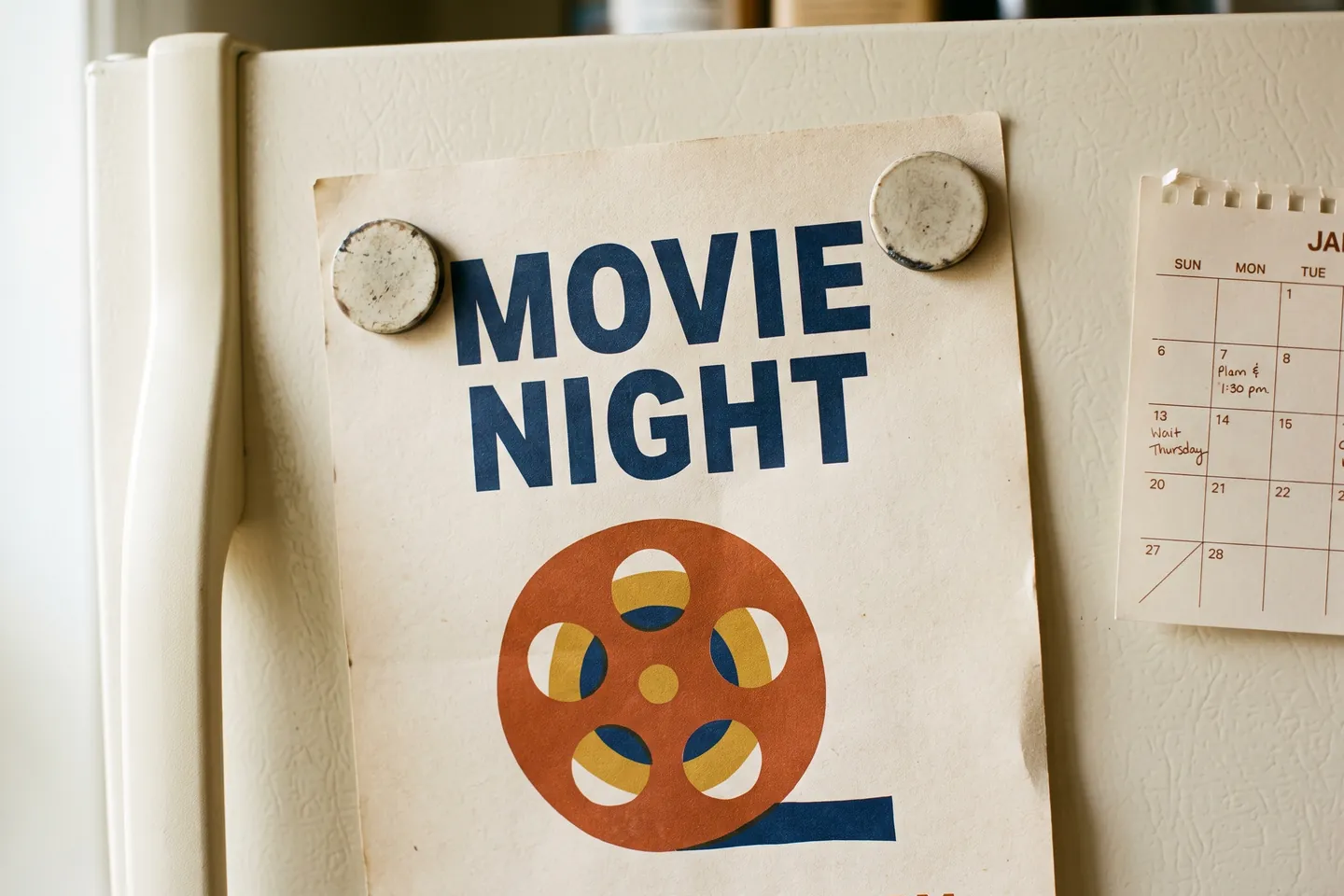
Here is a free editable movie night flyer template that needs no account and no download: copy the text block below into Word, Google Docs or any editor, replace the words in brackets, make the first line huge, add one picture, and print. That is the whole job. A movie night flyer only has to answer five questions at a glance (what film, which day, what time, where, what to bring), and everything else on the page is decoration. The sections below give you the layout sizes that make it readable from across a room, the exact clicks in Word and Google Docs, wording for a private invitation instead of a public flyer, and how to use ChatGPT without ending up with misspelled art.
For the night itself, our snack bar menu sign is free on the free movie night printables page, as US Letter and A4 PDFs.
The free editable movie night flyer template
Copy everything in the box and paste it into a blank page. Each line is one block on the flyer, top to bottom.
``` MOVIE NIGHT [Film title] ([year])
[Day], [Month] [date] Doors [time] · Film starts [time]
[Place: backyard / living room / community room, address]
Free popcorn. Bring a blanket or a chair. [Optional: Rated [rating], about [running time] minutes]
Questions or RSVP: [name, phone or email] by [date] ```
Why this order works: people read a flyer from the top in a few seconds, so the event name comes first, then the one thing that makes this night different (the film), then the two facts they need to show up (when and where), then what to bring. The RSVP line goes last because only the people who are already coming read that far.
Two small choices help a lot. Give a "doors" time and a separate "film starts" time, so latecomers do not walk in during the opening. And always write the day of the week next to the date: "Friday, October 30" is harder to misread than "10/30".
Layout sizes that read from across a room
A flyer on a fridge or a hallway board is read from a few steps away, so size matters more than style. These are our own working sizes for a US Letter page (8.5 x 11 inches) in portrait. They are our suggestions, not a rule from any standard:
| Block | What goes in it | Suggested size | Tip |
|---|---|---|---|
| Headline | MOVIE NIGHT | 60 to 80 pt, bold | All caps, one line, the widest thing on the page |
| Film | Title and year | 32 to 40 pt | The only other large text |
| When | Day, date, doors and start time | 24 to 28 pt | Keep it on two lines at most |
| Where | Place and address | 18 to 22 pt | Add a landmark if the address is hard to find |
| Bring | Blanket, chair, snacks | 16 to 18 pt | One short sentence |
| Picture | One image | About a third of the page | Your own photo or a simple shape, not a busy collage |
| RSVP | Name and contact | 12 to 14 pt | Bottom of the page |
Leave at least half an inch of empty margin on every side, so nothing important sits at the very edge of the paper. If you use a dark background, keep the text white and bold; thin light letters on dark paper disappear in print.
How to make the flyer in Microsoft Word
Word has a built-in route and a blank-page route, and both are free inside the app.
From a built-in template. Microsoft says its free, pre-built templates are available when you click File > New, and that you can also browse more at create.microsoft.com (Microsoft Support, read 2026-10-05). Type "flyer" or "movie" into the "Search for online templates" box and press Enter (Microsoft Support, read 2026-10-05). Pick one, select Create, then replace its text with the lines from the template above.
From a blank page. This is also the answer to "how do I convert a Word document into a flyer":
- Set the page. Select Layout > Orientation for portrait or landscape, and Layout > Margins to choose or set custom margins (Microsoft Support, read 2026-10-05).
- Paste the template text and delete any line you do not need. A flyer is one page, so cut until it fits without shrinking the headline.
- Apply the sizes from the table. Center everything; a centered single column is the easiest layout to get right.
- Insert one picture and check that it does not push your lines onto a second page.
- Save a print copy as PDF. On Windows, Microsoft's steps are File > Save a Copy (or Save As for a new file), choose PDF in the drop-down list and select Save (Microsoft Support, read 2026-10-05). A PDF keeps the layout fixed, which matters if you print at a copy shop or text the flyer to friends.
How to make it in Google Docs for free
Does Google have an invitation template? Google Docs has a template gallery: open a document, then File > New > From a template, pick one and select Insert. But Google's own help page lists document types such as blog posts, journals, proposals, roadmaps and class notes, not invitations or flyers (Google Docs Editors Help, read 2026-10-05). So the practical route is a blank document plus the text template above.
The one setting that trips people up: a new Doc may be in "pageless" format, and in that format the page size, orientation and margin settings are not available. Switch to pages first: File > Page setup, select Pages at the top, then set orientation, paper size, margins and page color (Google Docs Editors Help, read 2026-10-05). Page color is handy for a dark "cinema" background without printing a giant image.
Then paste the template, set the font sizes from the table, insert a picture, and print one test copy before you print a stack.
Making a party flyer with pictures online for free
The picture is where most homemade flyers go wrong: too many images, or one that is too small. Use one picture, about a third of the page. Good free options you already own:
- A photo of the actual place. The backyard screen, the sofa with blankets. Guests instantly know what kind of evening it is.
- A simple shape. A popcorn box, a film strip or a ticket drawn with basic shapes in Word or Docs. It prints cleanly and never looks pixelated.
- An image you generate yourself (see the ChatGPT section below).
Avoid pasting in a studio's film poster or a screenshot from the film for a public flyer. Your own photo or a drawn shape is always safe to use and usually looks better at flyer size anyway.
Flyer or invitation: change the wording, not the layout
The same layout works for both. What changes is the voice and the RSVP.
Public flyer (neighborhood board, school, church hall, apartment lobby): keep it neutral and complete. "Free outdoor movie night, all ages welcome" plus the address and a contact.
Private invitation (family, friends, a birthday): make it personal and leave the address for the message you send it with if you are posting it online. Some wording that works:
- "You're invited to a private screening of [film] at the [family name] cinema."
- "Popcorn is on us. Pajamas are encouraged."
- "Doors open at [time]. Seats are first come, first served, so bring your favorite pillow."
- For a birthday: "[Name] is turning [age], and you have a ticket to the premiere."
A fun extra for a small group: hand out an Admit One ticket as the invitation itself, with the film, date, time and a seat written on it. Our free printable movie tickets PDF article shows how to make a sheet of eight blank tickets yourself, in US Letter or A4.
Can ChatGPT create an invitation?
Yes, in two ways, and they deserve different levels of trust.
Wording: very good. Ask it for three versions of the invitation text in a tone you choose (cozy, spooky for October, formal for a fundraiser), then paste the one you like into the template above. You stay in control of dates and spelling.
A finished image with text on it: check every letter. OpenAI's own documentation says that, although much improved, its image model "can still struggle with precise text placement and clarity" (OpenAI API docs, read 2026-10-05). OpenAI's prompting guide advises putting the literal text in quotes or ALL CAPS and spelling tricky words letter by letter (OpenAI Cookbook, read 2026-10-05). Even so, a wrong date on a printed flyer is worse than a plain one.
The safest workflow: ask for the artwork only ("a cozy backyard movie screen at dusk with string lights, no text, portrait"), then place it in Word or Google Docs and type the flyer text on top. You get the custom picture and text you can still edit.
Print checklist
Before you print a stack, print one copy and check:
- Day of the week matches the date.
- Doors time is earlier than film start time.
- Address or room is complete.
- Headline is readable from three steps away.
- Nothing is cut off at the edges (print at 100%, not "fit to page", if your margins are already set).
- Contact details work: text yourself or send yourself the email.
Plain paper is fine for a board. Cardstock feels more like an invitation if you are handing it out.
When you want printed invitations instead
The flyer gets people to the door. For a private movie night, our Movie Night Invitations & Gift Set is a $2.99 printable with 10 pages: invitations (4 per page, 2 pages), a movie night voucher in a classic and a Christmas design (3 per page), 12 gift tags, 12 round popcorn labels (2 inches), a Now Showing basket sign and a guest list. It comes as US Letter and A4 PDFs in one ZIP, delivered on the order page after payment, and you print it at home or at a copy shop at 100%. Nothing is shipped. To be clear about what it is not: it has no public flyer page, so keep the template above for a board or a lobby, and the PDFs are not editable; you fill in the invitations by hand. For a walk-through of how the rest of the evening fits together, see what to put in a movie night at home kit.
Frequently asked questions
How can I design a flyer in Microsoft Word?
Open File > New and search the online templates for "flyer", or start a blank page, set orientation and margins under Layout, paste the flyer text below, size the title large, add one picture and save a copy as PDF before printing.
How to convert a word document into a flyer?
Turn the document into one page: set Layout > Orientation and Margins, cut the text down to title, date, time, place and one line of extras, make the title the biggest thing on the page, add one picture, then save a copy as PDF so the layout does not shift when it prints.
Can Chatgpt create an invitation?
Yes, it can write the wording and generate an image with text in it. OpenAI's own guide says the image model can still struggle with precise text placement and clarity, so check every letter, or generate the picture without text and add the words in Word or Google Docs.
Does Google have an invitation template?
Google Docs has a template gallery under File > New > From a template, but Google's help page lists document types such as journals, proposals and class notes, not invitations. You can still build one in Docs: switch to pages format, set Page setup, and paste the template text from this article.
Sources
- Download free, pre-built templates (Microsoft Support) (last checked 2026-10-05)
- Create a document in Word (Microsoft Support) (last checked 2026-10-05)
- Change document layout (Microsoft Support) (last checked 2026-10-05)
- Save or convert to PDF or XPS in Office Desktop apps (Microsoft Support) (last checked 2026-10-05)
- Use templates, Google Docs Editors Help (last checked 2026-10-05)
- Change page settings on Google Docs, Google Docs Editors Help (last checked 2026-10-05)
- Image generation guide, limitations (OpenAI API docs) (last checked 2026-10-05)
- Gpt-image-1.5 Prompting Guide (OpenAI Cookbook) (last checked 2026-10-05)