 TV & Movie Log Book
How to print movie tickets at home: real and homemade
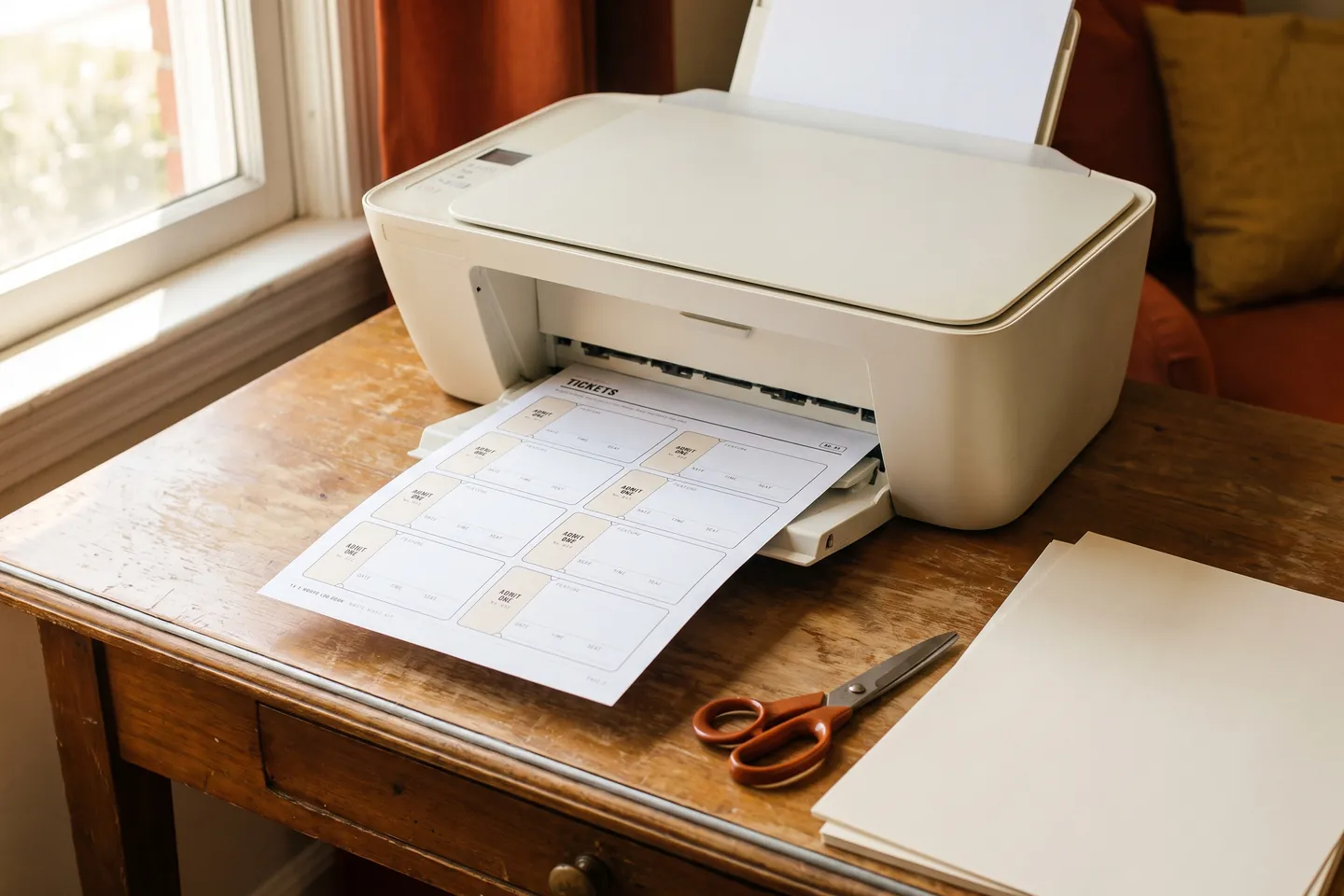
Here is how to print movie tickets at home, whichever kind you mean. For a real ticket you bought online, open the confirmation email, download the PDF ticket, print the whole page at 100% ("Actual size") on plain Letter or A4 paper, and keep the barcode flat and unfolded. If there is no PDF, your ticket is phone only and you do not need to print anything. For homemade tickets for a movie night at home, open a ticket PDF (or a page you lay out yourself), print at 100% on plain paper or light cardstock, cut along the lines and write the film, date and seat by hand. The one setting that ruins both is "Fit to page": it shrinks the page, which can blur a barcode and makes cut lines miss.
Real tickets or homemade tickets: which one you need
The same search covers two different jobs, and the steps differ.
| Real ticket from a theater | Homemade ticket for a movie night | |
|---|---|---|
| Where it comes from | The theater's or seller's confirmation email | A ticket PDF, or a page you design |
| What must survive printing | The barcode or QR code | Clean cut lines and readable writing |
| Paper | Plain Letter or A4 | Plain paper or light cardstock |
| Scaling | 100%, whole page | 100%, so tickets come out at their size |
| Color | Black and white is fine | Your choice |
| Gets you into a cinema | Yes, once | No, it is for your living room |
Do you have to print movie tickets?
Usually not. Many cinemas now email the ticket and accept it either way: the cinema at the Art Gallery of New South Wales, for example, says tickets booked online arrive by email and "can be scanned from your mobile device or printed for entry" (Art Gallery of New South Wales, cinema ticketing FAQs, read 2026-10-05).
Some venues still prefer paper. The Texas Theater in Dallas answers the phone or print question with "For fastest entry, it is best to have your tickets printed," and also explains how to show mobile tickets if you cannot print (The Texas Theater FAQ, read 2026-10-05). The rule of thumb: read your confirmation email. If it attaches a PDF or offers a download button, printing is an option. If it only talks about a mobile ticket, the phone is the ticket.
How to print a real movie ticket you bought online
- Find the PDF. Open the confirmation email and look for an attachment or a download button. At The Texas Theater, a download button under the confirmation number gives a PDF with one page per ticket (The Texas Theater FAQ, read 2026-10-05). If you bought several tickets, print every page.
- Use the right paper size. Print on whatever your printer is loaded with. US Letter is 8.5 x 11 inches and is the usual home paper in the United States and Canada, while A4 (210 x 297 mm) is used in most other countries (Wikipedia, Letter paper size, read 2026-10-05).
- Print at 100%. In the print dialog, choose "Actual size", "100%" or "None" under scaling. PDF readers can shrink pages on their own: The TeX FAQ documents Adobe Reader shrinking pages "to fit" by default (The TeX FAQ, read 2026-10-05).
- Use normal quality, not draft. Draft mode can leave a faded barcode that a scanner struggles to read. Black and white is enough.
- Do not fold through the code. Fold the page so the crease misses the barcode, or carry it flat.
- Keep the email on your phone too. If the printer jams or the scanner balks, the confirmation is your backup.
No printer at home? Check whether the confirmation also offers a mobile ticket. If it only offers print, a library or copy shop can print the PDF for you.
How to print movie tickets at home for a movie night
Homemade tickets are the fun kind: they turn a sofa and a film into an event. The fastest route is a ready ticket PDF. Our free printable movie tickets PDF article shows how to lay out a page of 8 Admit One tickets yourself in Letter or A4 and what to write on each ticket. The printing steps below work for any ticket PDF.
- Choose the paper. Plain printer paper works. Light cardstock feels more like a real ticket and survives small hands. Check your printer's manual for the heaviest paper it takes, and feed card through the rear or manual slot if it has one.
- Do a test print on plain paper first. Hold it against the card to check that nothing is clipped before you use the good stock.
- Print at 100%, one side only. Same rule as for real tickets: "Fit to page" shrinks the sheet and the cut lines stop lining up. Single sided printing keeps the back free for a handwritten note or a seat number.
- Cut with a straight edge. A paper trimmer is quickest. With scissors, cut the long lines first, then the short ones.
- Make the stub tear cleanly. Score the stub line with a ruler and an empty ballpoint pen, then fold it back and forth a few times. It will tear at the door instead of ripping across the ticket.
- Write on them before guests arrive. Film, date, start time and seat. Leave the seat blank if you want to hand out spots at the door.
How to make your own movie tickets from scratch
If you want your own design, you can lay out a ticket page in any word processor or design program. The trick is choosing a ticket size that fills the sheet with little waste.
What is the standard size of a movie ticket? There is no published standard for cinema tickets. For theater and sports tickets, a common size is 2.125 x 5.5 inches (5.4 x 13.97 cm), and concert tickets are often 2 x 6 inches (Omni Sizes, ticket dimensions, read 2026-10-05). That theater size makes a convincing movie ticket.
Fitting it on a page is simple arithmetic:
- US Letter (8.5 x 11 in): set each ticket upright at 2 x 5.25 inches. Four across take 8 inches and two rows take 10.5 inches, so you get 8 tickets and a quarter inch to spare on every edge.
- A4 (210 x 297 mm): use 50 x 140 mm tickets. Four across take 200 mm and two rows take 280 mm: again 8 tickets, with a margin all round.
Leave a little space around the outside of the page so nothing sits too close to the edge, and draw the cut lines in a light gray so they disappear once you cut. Put the stub at one short end, separated by a dashed line, with a number on both halves so you can match a stub to a ticket later (handy for a snack prize draw).
Fields worth including: film, date, time, seat and "Admit One". That is what makes a printed slip read as a ticket at a glance.
Do they still print movie tickets?
Some theaters do, but it is no longer the default for online bookings: the confirmation email is the ticket, and you decide whether to show it on a phone or print it yourself (Art Gallery of New South Wales, read 2026-10-05). Whether a box office still prints a paper stub depends on the individual theater, so ask at the counter if you collect them. If you want a stub as a keepsake of a night in, a homemade ticket you date and keep does the same job. You can even tape it into a movie journal next to a few lines about the film.
When ready-made tickets save you the layout work
If you would rather not design anything, our Printable Movie Tickets cost $1.99 for 7 printable pages with 5 ticket designs, 8 tickets per page, each with a numbered stub: a classic Admit One, a Halloween ticket, a Christmas ticket, a kids ticket (name, movie, snack and a circle to draw in) and a VIP premiere pass with row and seat. It is a download, not a shipped product: after payment you get one ZIP with US Letter and A4 PDFs on the order page, and you print at home or at a copy shop, at 100%, with the steps above.
See Printable Movie Tickets ($1.99): 5 ticket designs, 8 per page with numbered stubs
Frequently asked questions
Can you print out movie tickets at home?
Yes. A real ticket can be printed if the theater emailed it as a PDF (print the whole page at 100%, barcode unfolded). Homemade tickets for a movie night can be printed from any ticket PDF or a page you lay out yourself, on plain paper or light cardstock.
Do you have to print movie tickets?
Usually not. Many cinemas scan the code straight from your phone, but some venues say a printout gets you in fastest, so check your confirmation email for a print option or a "mobile" note.
What is the standard size of a movie ticket?
There is no published cinema standard. Theater and sports tickets are commonly about 2.125 x 5.5 inches, which is a good size to copy for homemade tickets.
Do they still print movie tickets?
Some do. Online bookings now mostly arrive by email, to show on a phone or print yourself, and whether a box office still hands out paper stubs depends on the theater.
Sources
- Cinema ticketing FAQs (Art Gallery of New South Wales) (last checked 2026-10-05)
- FAQ (The Texas Theater, Dallas) (last checked 2026-10-05)
- Adobe Reader messing with print size (The TeX FAQ) (last checked 2026-10-05)
- Letter (paper size) (Wikipedia) (last checked 2026-10-05)
- Ticket Dimensions (Omni Sizes) (last checked 2026-10-05)