 TV & Movie Log Book
Episode tracker on paper: how to track TV show episodes
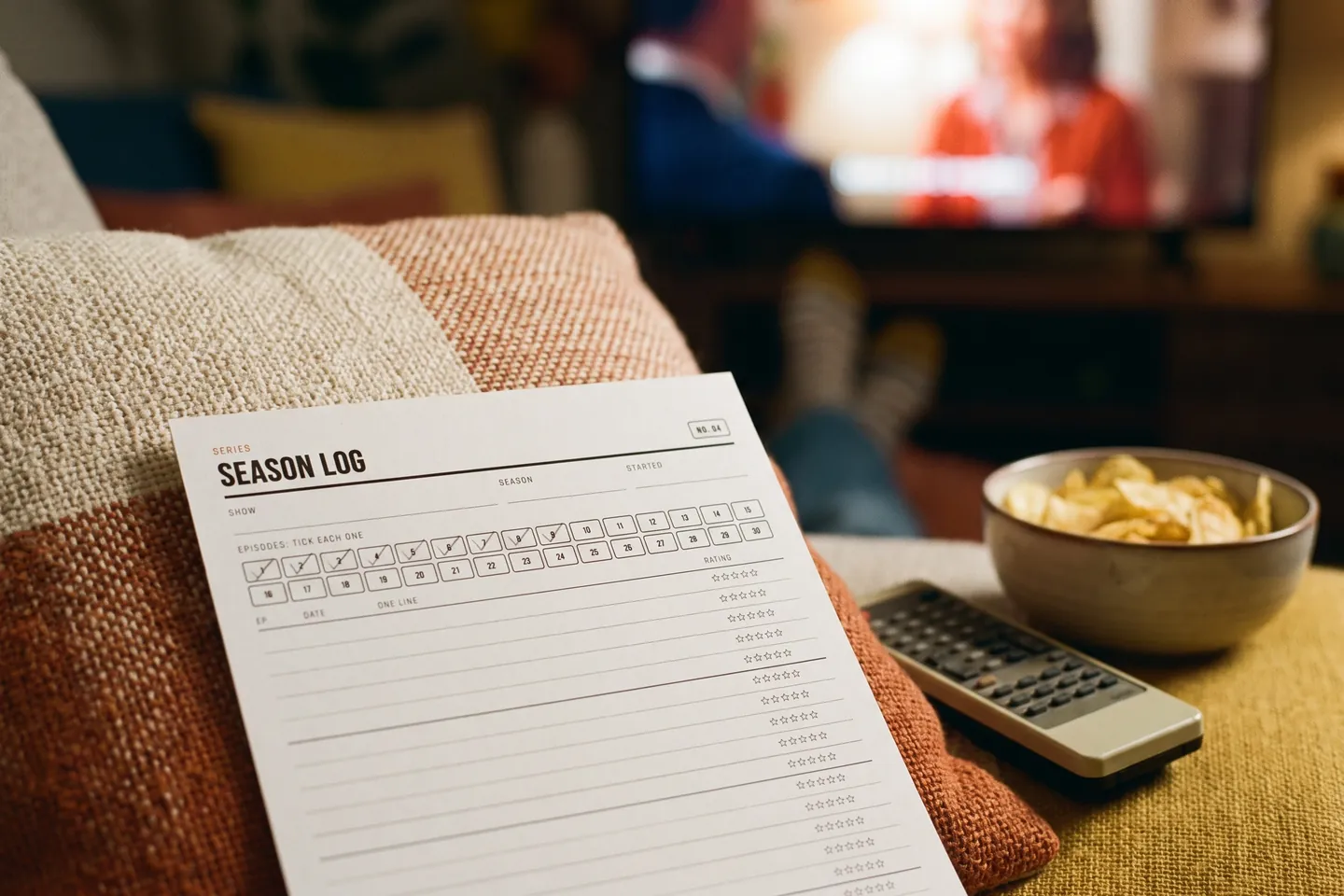
To track TV show episodes on paper, give every show one row with four fields: the title and season, the last episode you finished, the next episode to play, and a status word (watching, waiting, paused or done). Update the row the night you watch, and read it before you open the streaming service. That is the whole episode tracker: one page that tells you where you are in every show, without signing in to anything. A paper row cannot announce new episodes, so pair it with the reminder in your service or an app for that one job: the app tells you what is out, the row tells you where you are.
How do you start an episode tracker?
Draw or print one row per show. Keep the latest progress in that single row, not in notes scattered across last month's pages, where it is easy to miss. Group the rows by status so the shows you are watching sit at the top, or sort them from A to Z if you follow many. One row should take less than a minute to update.
| Field | What you write | Why it helps |
|---|---|---|
| Title and season | The show name and the season label the service displays | You find the row in a second |
| Last finished | The episode you completed, by number and title | You never rewatch by mistake |
| Next to play | The next episode number or title | You press play without searching |
| Status | Watching, waiting, paused or done | You see what is active at a glance |
People kept rows like this long before apps did it for them. In a May 2017 Book Snacks post (read 2026-10-05), a bullet journal keeper describes a page for tracking "which shows I'm watching and what episode" for the shows they were not watching on Netflix. The same writer admits the spread was almost full a few days into May, which is the most common failure of a hand-drawn page: plan more rows than you think you need, or keep a second page ready.
A small habit makes the row more useful: copy the next episode title in the words the service uses before you close for the evening. A title is easier to match than a number.
How do you record a season and a service?
Write the service beside the season, not only beside the show. A series can move, and two seasons can sit on two services. Start a new line when the next part begins, and copy the label the service displays. If it says Part Two, write Part Two rather than your own season number.
Episode numbers sometimes differ between services, especially for specials and double episodes. Compare episode titles before you move your place. Keep the finished line readable, so you can still see what you watched before the move.
How do you catch up after a break?
Resume from the last episode you confirmed on your row. Open your page before you open the service, and compare your next episode with the list on screen. If the titles match, carry on. If they do not, use the episode title or a short recap to find the last scene you remember.
Mark the show "catching up" until you reach the latest released episode, then switch the status to "caught up" or "waiting." When you cannot place yourself, write "check" on the row instead of guessing: a hunch is a poor reason to move the marker. After a trip or a busy month, list only the shows you plan to resume this week, and leave the rest paused.
What new episodes are coming out today?
Paper cannot answer this one, so do not ask it to. Let a screen watch the calendar and let your row hold the date once you know it.
- Your streaming service. Netflix, for example, shows future release dates with a Remind Me option, and once a title is available "you may see a notification on Netflix, get an email," according to the Netflix Help Center (read 2026-10-05). The same page warns that release dates can change because of production or licensing delays.
- A tracking app. If you want one view across several services, some apps do this. In its February 2025 review, PCWorld reported (read 2026-10-05) that Trakt shows a schedule of upcoming episodes and, as part of a VIP subscription at $6 a month or $60 a year, can track what you watch automatically on six major streaming services.
Once you have a date, write it in pencil on the row of any show marked "waiting." Because dates move, pencil is the honest tool. On the day, glance down the waiting rows instead of scrolling through every app.
How do two viewers share one show?
Give each viewer a separate mark when you watch at different speeds. A shared next episode can spoil the person who is behind, and send the person ahead back to an episode they already saw. Write initials beside each person's last finished and next episode.
On nights you watch together, record the episode everyone finished on a "together" line. Solo progress stays on its own line, so someone who watched ahead can wait without touching the group row. Two viewers need two next-episode marks, or the one who is behind reads a spoiler.
When is paper the better tool?
Choose paper when a written next episode is enough, when you like seeing every show you follow on one page, or when you keep a planner or journal already and want your watching in it. Choose an app when you want release alerts or an automatic record of every play, which paper cannot give you. Both work together: the app watches for new episodes, and your row keeps your place and, at the end of a season, your verdict on it.
Keep your place in the Movie & Series Log
If you would rather print these rows than draw them, the Movie & Series Log is our printable TV show tracker: 12 pages. For keeping your place there is a now watching page, a season log with a strip of 30 episode boxes to tick, a season tracker (2 seasons of up to 24 episodes per page) and a show tracker for every season of every show you follow. A season verdict page (two per page) holds your verdict when a season ends. It also has a watchlist for tonight, a film log with 24 rows, a review page, a year in film with a top ten, and a favorites page. It costs $3. It will not tell you when new episodes come out, so keep the reminder in your service or app for that. The download is one ZIP with US Letter and A4 PDFs, delivered on the order page after payment; nothing is shipped. Print at 100 percent (actual size). No year is printed, so you can start any time.
See what is inside the Movie & Series Log printable
Frequently asked questions
How to track TV show episodes?
Give each show one row with the title and season, the last episode you finished, the next episode to play and a status word such as watching, waiting, paused or done. Update the row the night you watch and read it before you open the service.
What new episodes are coming out today?
A paper page cannot tell you. Use the reminder or schedule in your streaming service or a tracking app, then write the release date on the row of any show marked waiting. Dates can move, so write them in pencil.
Sources
- Book Snacks, YAY Organization! // How I use my bullet journal for book blogging (May 4, 2017) (last checked 2026-10-05)
- PCWorld, Trakt helps you keep track of your streaming shows (February 13, 2025) (last checked 2026-10-05)
- Netflix Help Center, How to be reminded of upcoming TV shows or movies (last checked 2026-10-05)